
Arabic PDF to Excel: convert Arabic and bilingual documents without the text coming back backwards.
A UAE tax invoice has Arabic and English in the same line. A tenancy contract runs right to left with an English clause in the middle. Most converters read one direction and lose the other. Saff reads both on the same page, into the columns you named.
The short answer
Yes, Arabic PDFs convert to Excel, and so do scans and photographs of Arabic documents, and pages that mix Arabic and English. The condition is that the tool has to understand direction: which way a line runs, where a number sits inside a right-to-left sentence, and that the English item code and the Arabic description on the same row belong to the same row. Saff does, and it puts each value in the column you asked for whichever direction the page runs.
The interface is in Arabic too, with a right-to-left layout, so the person doing the review is not working in a second language. Where Saff is unsure of a value, a word under a stamp, a handwritten figure, a faint scan, the cell is flagged with supporting text when available.
What goes wrong with Arabic in a converter
Reversed text is the one everyone has seen. A converter that reads left to right takes an Arabic word and stores its letters in the order it met them, so the sheet shows the word backwards, sometimes with the letters disconnected because each was stored as its isolated form. It looks like Arabic and reads as nothing.
Dropped text is quieter. Some converters treat characters they cannot map as noise and leave them out, so the Arabic half of a bilingual invoice simply does not appear; the English survives, the sheet looks plausible, and the supplier name in Arabic is gone. Numbers inside Arabic sentences suffer a third way: a right-to-left run containing a left-to-right number gets the number's digits reversed, and 12,500 becomes 005,21.
Then the layout. Arabic documents are right-aligned, so the grid a converter draws starts from the wrong edge; totals that sit on the left of an Arabic invoice land in the first column instead of the last. On a bilingual document, with an English header row above an Arabic body, the grid changes shape halfway down.
| Field | Why it is collected | What goes wrong in a converter |
|---|---|---|
| Supplier or party name in Arabic | The legal name on the document, as registered. | Reversed or dropped; the English trading name survives instead. |
| TRN or licence number | VAT and registration checks. | Digits reversed inside a right-to-left line. |
| Date | Period, expiry, renewal. | Hijri and Gregorian both present; the wrong calendar taken. |
| Amounts and totals | The numbers everything reconciles to. | Land in the first column instead of the last; Arabic-Indic digits mis-read. |
| Line descriptions | What was bought or agreed. | Bilingual lines split into two rows, one per language. |
| Signatory and stamp | Who approved it. | Text under a stamp read as the stamp. |
How Saff converts an Arabic document to Excel
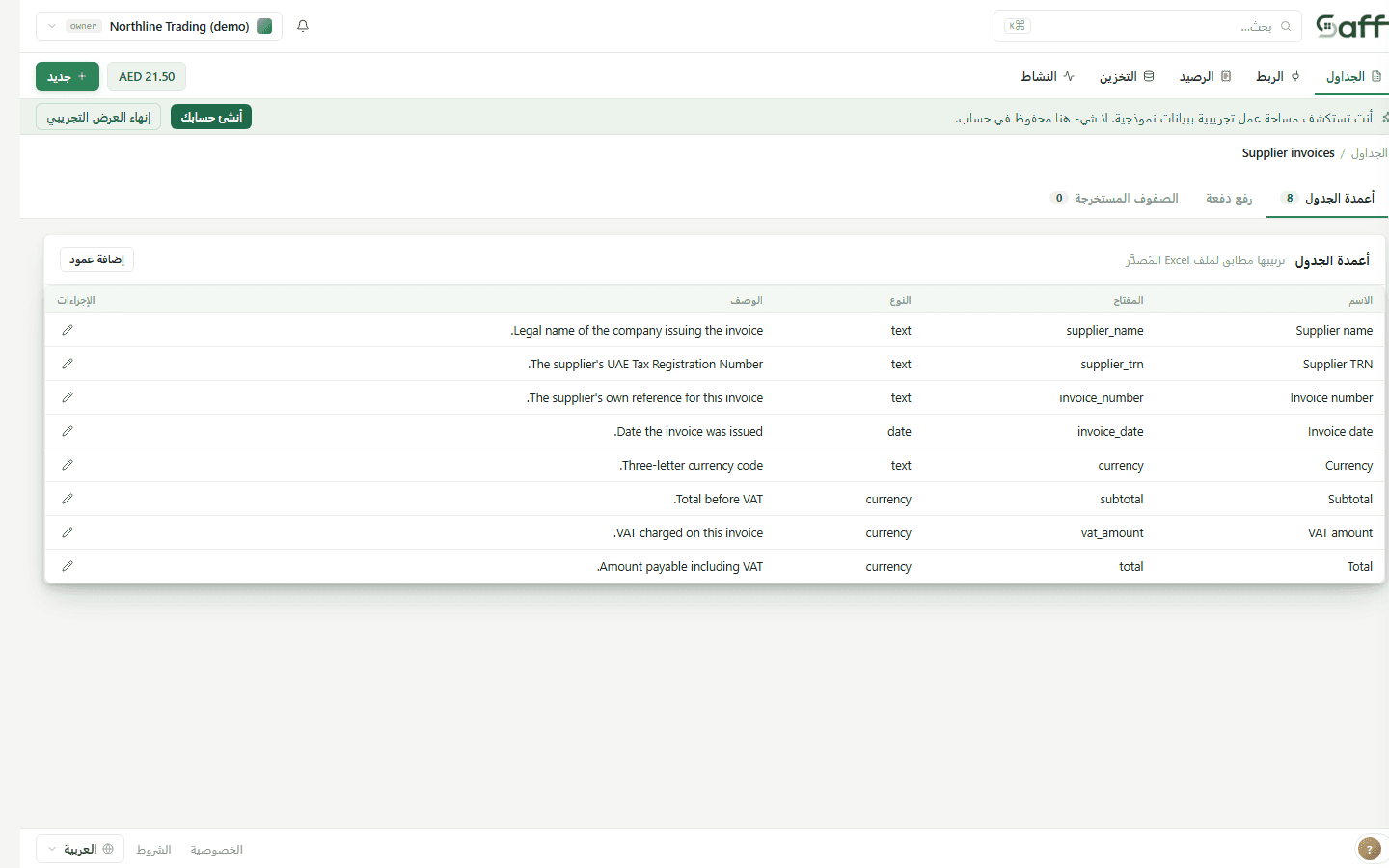
Name your columns, in Arabic or in English or a mix, and upload the documents: native PDFs, scans, or photos, one or a batch. Saff reads each page in the direction it was written, keeps a bilingual line as one line, reads the digits inside it the right way round, and puts each value in the column you named. Arabic-Indic numerals are read as the numbers they are.
Review works the same as for any document: flagged values first, with supporting text when available, in a right-to-left interface if that is your language. Export gives you one workbook with the same columns for every document, Arabic text stored as text, not as a picture of text, so it sorts and filters.
What Saff will not do with Arabic documents
It will not translate. Arabic values are extracted as Arabic and English as English; if you want a supplier's name in one language across the whole sheet, name that column for the language you want and Saff will take it from the document where it appears in that language.
It will not guess handwriting it cannot read. Handwritten Arabic on a delivery note or a receipt is read where it is clear and flagged where it is not; a flagged empty cell is the honest result, and it is the one that gets checked.
Does PDF to Excel support Arabic?
Saff does: Arabic, English and both on the same page, including right-to-left layouts and Arabic-Indic numerals. The interface itself is available in Arabic.
Can I convert a scanned Arabic PDF to Excel?
Yes. A scan or a photo is read as an image in the direction the text runs, values are extracted into your columns, and anything unclear is flagged with supporting text when available.
Why does Arabic text come out backwards in Excel?
Because the converter stored the letters in the order it read them, left to right, in their isolated forms. Saff reads the line in its own direction and stores the word as a word, so it displays and sorts correctly.
Can I name my columns in Arabic?
Yes. Column names, descriptions and the exported workbook headers can all be Arabic, English or mixed; Saff matches values to the field you described, in either language.
Convert an Arabic document
Upload a bilingual invoice or a contract and see the row come back the right way round. Fifteen documents a month are free.